









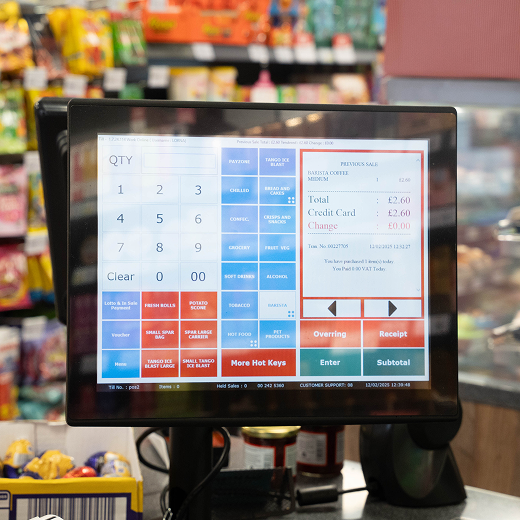
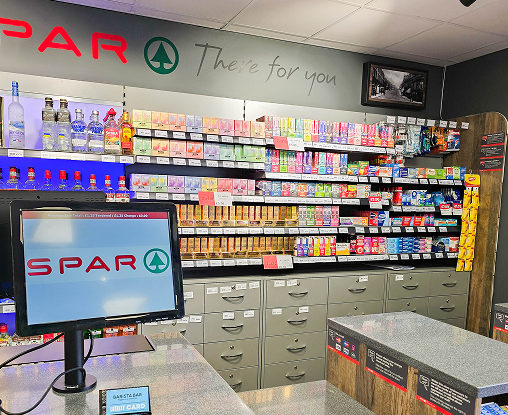
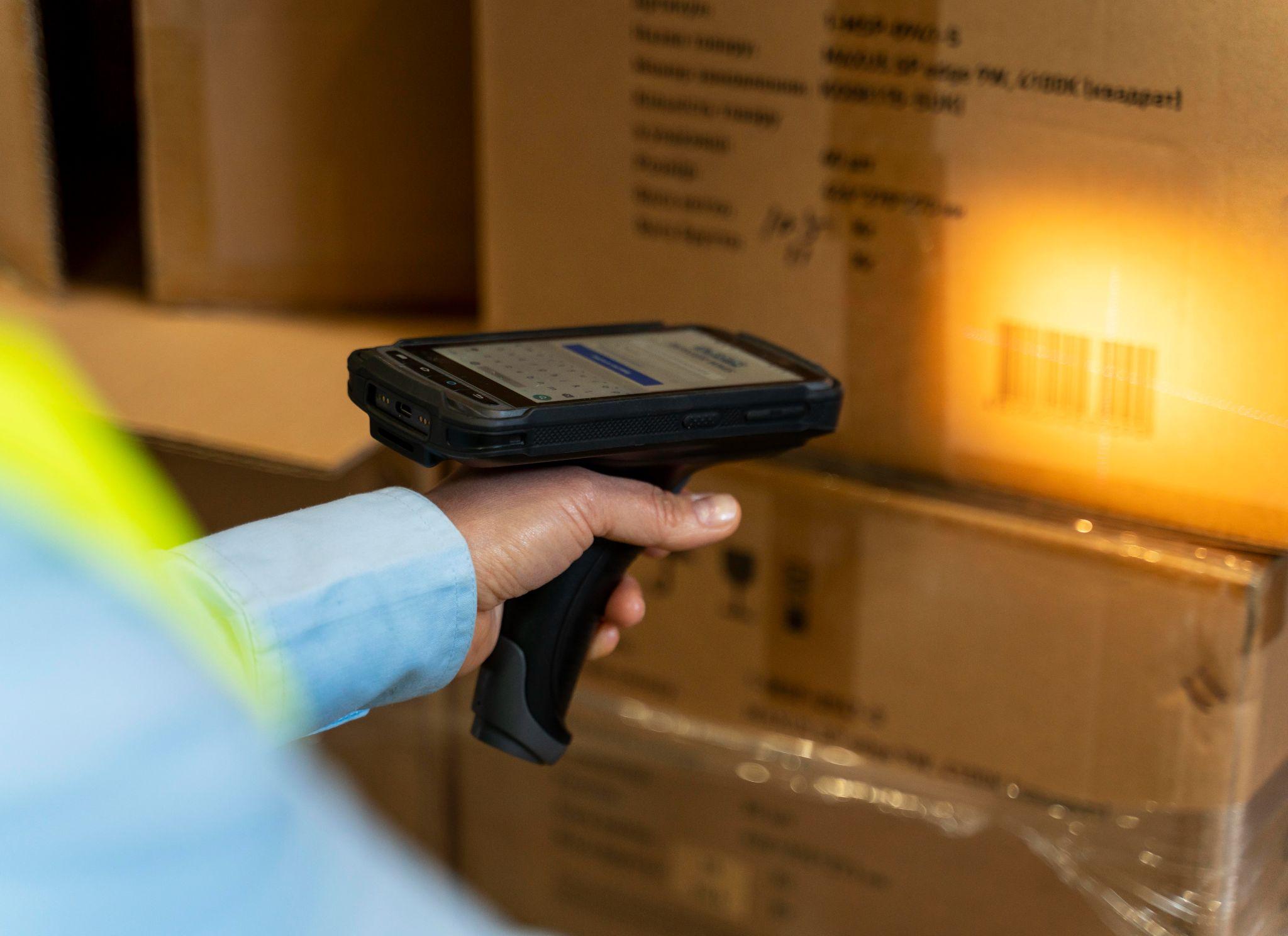
A barcode scanner is one of the most important tools in a modern retail store. It helps staff scan products quickly, find prices instantly, reduce manual errors, and keep checkout moving smoothly.
For UK convenience stores, supermarkets, pharmacies, off-licences, petrol stations, cafés, takeaways, and stockrooms, barcode scanners make daily work faster and more accurate. They are not just used at the checkout. They also help with stock control, product lookup, delivery checks, returns, and inventory management.
When a barcode scanner works with an EPOS system, it becomes even more useful. It connects product scanning with prices, stock levels, sales reports, and business data. For UK retailers that want a smooth EPOS setup, MHouse.uk can help with EPOS systems and compatible barcode scanner solutions built for busy retail environments.
What Is a Barcode Scanner?
A barcode scanner is an electronic device that reads barcode information from a product, label, ticket, or package. It captures the barcode pattern, converts it into digital data, and sends that data to an EPOS system, computer, or inventory system. In simple terms, a barcode scanner reads the black-and-white code printed on a product. The system then uses that code to find the product name, price, category, and other details.
For example, when a cashier scans a bottle of water at the till, the barcode scanner reads the barcode. The EPOS system then matches that barcode with the product database and shows the correct price on the screen.
This saves staff from typing product names or prices manually.
What Is a Barcode Scanner Reader?
A barcode scanner reader is another name for a barcode scanner. Both terms usually mean the same thing.
People may use different names, such as:
- Barcode scanner
- Barcode reader
- Barcode scanner reader
- Product scanner
- Retail scanner
- EPOS scanner
- Till scanner
In retail, the most common term is barcode scanner. In technical settings, some people may say barcode reader.
The purpose is the same. The device reads barcode data and sends it to a system.
What Are Barcode Scanners Used For?
Barcode scanners are used to identify products quickly and accurately.In retail stores, they are commonly used for checkout, stock control, product lookup, delivery checks, returns, and price verification. A barcode scanner can help with:
- Scanning products at checkout
- Finding product prices
- Updating stock levels
- Checking inventory
- Receiving supplier deliveries
- Managing returns
- Scanning product labels
- Supporting stocktaking
- Reducing manual entry errors
- Improving checkout speed
- Supporting EPOS sales reports
For a convenience store, this is especially useful because the store may carry thousands of products. It is not practical for staff to remember every price or type every product manually. Barcode scanners make the process faster and more reliable.
Barcode Scanner in Retail Store Operations
A barcode scanner in a retail store supports both front-counter and back-office work. At the checkout, it helps staff serve customers faster. In the stockroom, it helps staff check deliveries and count products. During stocktaking, it helps reduce manual counting errors. Here are some common retail uses.
Checkout Scanning
The cashier scans each product. The EPOS system shows the product name and price. The customer pays, and the sale is recorded.
Product Lookup
Staff can scan an item to check its price, stock level, or product details.
Stock Receiving
When supplier deliveries arrive, staff can scan products to confirm what has been received.
Stocktaking
Barcode scanners help staff count stock more quickly and accurately.
Returns and Exchanges
Staff can scan returned products to find the original item record and process the return properly.
Promotions and Discounts
When the correct barcode is scanned, the EPOS system can apply offers or discounts automatically.
Reordering
Scanned sales data helps owners understand which products need to be reordered.
This makes barcode scanners useful across the full retail workflow.
How Do Barcode Scanners Work?
Barcode scanners work by reading the pattern of bars, spaces, or squares in a barcode. The scanner captures the code using light, laser, or imaging technology. It then decodes the pattern and sends the information to an EPOS system or computer.
The process happens very quickly.
First, the staff member points the scanner at the barcode.
The scanner emits light or uses an image sensor to capture the barcode.
The scanner reads the pattern of black and white areas.
It converts that pattern into digital data.
The data is sent to the EPOS system.
The EPOS system matches the barcode with the product database.
The product name, price, and details appear on the till screen.
The sale or stock action is then recorded.
This is why barcode scanning is much faster than manual entry.
What Happens After a Barcode Is Scanned?
After a barcode is scanned, the EPOS system checks the barcode number against its product database.
If the barcode is saved in the system, the product appears on the screen. The system can show the product name, price, VAT status, category, and available stock.
If the product is part of a promotion, the EPOS system can apply the offer automatically.
If the product is sold, the stock level can reduce automatically.
If the product is scanned during delivery, the system can add it to stock.
This makes barcode scanning important for both sales and inventory control.
If the barcode is not saved in the product database, the product may not appear. This is why retailers should keep their EPOS product database updated.
How Barcode Scanners Work with EPOS Systems
A barcode scanner works with an EPOS system by sending scanned barcode data to the till software. The barcode itself usually contains a product identification number. It does not always contain the full product name or price. The EPOS system uses that number to find the product details in the database.
Here is how it works in a shop.
A customer brings products to the checkout.
The cashier scans each barcode.
The barcode scanner sends the barcode number to the EPOS system.
The EPOS system finds the product in the database.
The correct price appears on the screen.
The cashier completes the sale.
The EPOS system records the transaction.
Stock levels update if stock control is enabled.
Sales reports are updated.
This connection between the barcode scanner and EPOS system helps retailers work faster and reduce errors.
Why Barcode Scanners Matter for EPOS Systems
A barcode scanner is a key part of a complete EPOS setup. An EPOS system may include a till screen, receipt printer, cash drawer, card terminal, customer display, stock control software, and barcode scanner. Each part supports a smoother checkout process.
Without a barcode scanner, staff may need to search for products manually or type product codes. This slows down service and increases the chance of mistakes.
With a barcode scanner, the till process becomes faster, easier, and more accurate.
For busy UK convenience stores, this matters because customers expect quick service. Long queues can lead to poor customer experience and lost sales.
Types of Barcode Scanners
There are different types of barcode scanners. The best option depends on your business, checkout setup, stock process, and EPOS system.
Handheld Barcode Scanners
A handheld barcode scanner is one of the most common scanner types in retail. Staff hold the scanner and point it at the product barcode. It is easy to use and works well at checkout counters. Handheld scanners are useful for:
- Convenience stores
- Small shops
- Pharmacies
- Off-licences
- Stockrooms
- Product checks
- Delivery receiving
They can be wired or wireless.
Fixed or Countertop Barcode Scanners
A fixed barcode scanner sits on the counter. Staff pass products in front of it, or customers place items near the scanning area.
These scanners are common in supermarkets and high-volume retail stores.
They are useful because staff do not always need to pick up the scanner. This can make checkout faster when scanning many products.
Fixed scanners are best for busy tills with high transaction volume.
Wired Barcode Scanners
A wired barcode scanner usually connects to the EPOS till by USB or another cable.
It is simple, reliable, and does not need charging.
Wired scanners are good for:
- Fixed checkout counters
- Small stores
- Convenience stores
- Pharmacies
- Retail tills
- Businesses that want a stable connection
The main limitation is movement. Staff can only scan within the cable length.
Wireless Barcode Scanners
A wireless barcode scanner connects through Bluetooth, Wi-Fi, or a wireless receiver. It gives staff more movement and is useful for stockrooms, shelves, and delivery areas. Wireless scanners are good for:
- Stocktaking
- Larger shops
- Warehouses
- Delivery receiving
- Shelf checks
- Flexible till setups
The main thing to manage is battery charging. If the scanner is not charged, it may stop working during the day.
1D Barcode Scanners
A 1D barcode scanner reads traditional line barcodes. These are the common barcodes found on most retail products. A 1D barcode uses black vertical lines and spaces. The scanner reads the pattern and turns it into a product code. 1D scanners are useful for:
- Basic retail product scanning
- Convenience stores
- Grocery products
- Drinks and snacks
- Standard packaged goods
For many small stores, a 1D scanner may be enough.
2D Barcode Scanners
A 2D barcode scanner can read both standard barcodes and square-style codes such as QR codes. 2D scanners are more flexible than 1D scanners because they can scan more code types. They are useful for:
- QR codes
- Mobile vouchers
- Loyalty apps
- Digital coupons
- Product labels
- Delivery labels
- Barcodes on phone screens
- Damaged or small labels
For modern retail, a 2D scanner can be a better long-term choice because it supports more use cases.
Laser Barcode Scanners
Laser barcode scanners use laser light to read 1D barcodes. They are often good for standard product barcodes and can work from a reasonable distance. They are commonly used in retail settings. However, many laser scanners cannot read QR codes or barcodes on phone screens. For that, an image-based scanner is usually better.
Image-Based Barcode Scanners
Image-based scanners use a camera-style sensor to capture the barcode. They can often read both 1D and 2D codes. They are useful for modern retail because they can scan QR codes, phone screens, labels, and some damaged barcodes. If your store uses digital vouchers, loyalty apps, or QR codes, an image-based 2D scanner may be the better option.
Barcode Scanner in Retail Store: Why It Matters
A barcode scanner can improve the daily performance of a retail store. It may look like a small hardware device, but it affects checkout speed, stock accuracy, staff productivity, and customer experience.
Faster Checkout
Barcode scanners reduce the time needed to process each item.
Instead of typing product names or prices, staff scan the barcode and the product appears instantly.
This helps reduce queues during busy periods.
Fewer Pricing Errors
Manual price entry can lead to mistakes. A barcode scanner helps the EPOS system pull the correct price from the product database.
This protects the customer and the business.
Better Stock Control
When a scanned sale is completed, the EPOS system can reduce stock automatically.
This helps owners understand what is selling and what needs reordering.
Easier Product Lookup
Staff can scan a product to find details quickly. This is useful when checking prices, stock levels, or product information.
Cleaner Sales Reports
Scanned products create more accurate reports because each item is properly recorded.
Better Promotions
If products are scanned correctly, the EPOS system can apply the right discounts or multi-buy offers.
Easier Staff Training
New staff do not need to memorise product prices. They can scan products and let the system do the work.
Benefits of Barcode Scanners for Convenience Stores
Convenience stores benefit strongly from barcode scanners because they often carry many products and serve customers quickly.
Handles Large Product Ranges
A convenience store may sell drinks, snacks, tobacco, alcohol, groceries, chilled food, household items, newspapers, and seasonal products.
A barcode scanner helps staff process all these products without needing to remember every price.
Supports Fast-Moving Items
Convenience stores often have popular products that sell many times per day. Barcode scanning keeps these transactions fast.
Reduces Manual Price Entry
Manual price entry slows staff down and creates risk. Barcode scanning makes checkout more accurate.
Helps with Supplier Deliveries
When new stock arrives, staff can scan products to check them against the delivery and update stock records.
Supports Stocktaking
Stocktaking is easier when staff can scan products instead of writing everything manually.
Improves Profit Control
Accurate scanning helps reduce pricing mistakes and stock confusion. This supports better margin control.
Works Well with MHouse EPOS
When a barcode scanner is connected with MHouse EPOS, retailers can improve checkout speed, sales accuracy, stock visibility, and daily store operations.
Barcode Scanner vs Barcode Reader: Is There a Difference?
A barcode scanner and barcode reader usually mean the same thing.
Both terms describe a device that reads barcode data and sends it to a till, computer, EPOS system, or inventory tool.
The term barcode scanner is more common in retail. The term barcode reader is often used in technical descriptions.
The phrase barcode scanner reader is also used by some people when searching online, but it refers to the same type of device.
If you are buying hardware for a shop, search for retail barcode scanner, EPOS barcode scanner, or barcode scanner for convenience stores.
1D vs 2D Barcode Scanners
Choosing between a 1D and 2D barcode scanner depends on what your store needs to scan.
What Is a 1D Barcode?
A 1D barcode is the traditional barcode made of vertical black lines and spaces. It is found on most retail products.
1D barcodes are common on:
- Drinks
- Snacks
- Grocery items
- Household products
- Tobacco products
- Packaged goods
A 1D scanner is usually enough if you only scan standard product barcodes.
What Is a 2D Barcode?
A 2D barcode is a square or matrix-style code. QR codes are the most common example. 2D codes can store more information than 1D barcodes. They can also appear on mobile phone screens. 2D scanners are useful for:
- QR codes
- Mobile coupons
- Loyalty apps
- Digital receipts
- Delivery labels
- Modern product labels
Which One Is Better for Retail Stores?
For basic retail use, a 1D scanner may be enough.
For future flexibility, a 2D scanner is usually better. It can scan standard product barcodes and modern QR-style codes.
If your store uses loyalty apps, vouchers, mobile payments, or digital promotions, choose a 2D scanner.
Wired vs Wireless Barcode Scanners
Another important choice is wired or wireless.
Wired Barcode Scanner
A wired barcode scanner connects directly to the till.
It is best for:
- Main checkout counters
- Small stores
- Fixed till points
- Reliable daily scanning
Benefits include:
- Stable connection
- No charging needed
- Simple setup
- Usually cost-effective
The main drawback is limited movement.
Wireless Barcode Scanner
A wireless barcode scanner gives staff more freedom.
It is best for:
- Stockrooms
- Larger shops
- Inventory checks
- Delivery receiving
- Shelf checks
Benefits include:
- Easy movement
- Better for stocktaking
- Useful away from the counter
- Flexible scanning
The main drawback is that it needs charging and may depend on wireless connection quality.
Which One Should a Convenience Store Choose?
For the main checkout, a wired scanner is often enough.
For stockroom work, shelf checks, or larger stores, a wireless scanner can be useful.
Many retailers use both: a wired scanner at the till and a wireless scanner for stock management.
How to Choose the Best Barcode Scanner for Your EPOS System
The best barcode scanner depends on your EPOS system, store layout, barcode types, and daily usage. Here are the main things to check.
EPOS Compatibility
The scanner must work with your EPOS system. If it is not compatible, it may scan codes but not send data correctly to the till. This is why it is better to choose barcode scanner hardware through your EPOS provider. MHouse.uk can help UK retailers choose EPOS-compatible barcode scanner solutions that fit their store setup.
Barcode Type
Decide whether you need 1D scanning, 2D scanning, or both. If you only scan standard product barcodes, 1D may work. If you scan QR codes or mobile vouchers, choose 2D.
Connection Type
Choose between wired, wireless, Bluetooth, USB, or other connection options based on your till layout.
Scanning Speed
Busy stores need fast scanners. Slow scanning can delay checkout.
Durability
Retail scanners are used all day. Choose a scanner that can handle repeated use.
Ability to Read Damaged Barcodes
Some products may have scratched, folded, or poorly printed barcodes. A good scanner should still read them where possible.
Counter Space
If your checkout area is small, choose a compact scanner.
Stockroom Use
If you need scanning away from the till, a wireless scanner may be better.
Support
Choose a provider that can help with setup, configuration, and troubleshooting.
Common Barcode Scanner Problems and Fixes
Barcode scanners are usually reliable, but issues can happen.
Barcode Scanner Not Working
If the scanner is not working, check the cable, USB port, power, battery, wireless connection, and EPOS settings. For wired scanners, try another port. For wireless scanners, check charging and pairing.
Scanner Beeps but Product Does Not Appear
This often means the scanner has read the barcode, but the EPOS system cannot find the product.
Possible causes include:
- Barcode not added to the EPOS database
- Product not active
- Wrong barcode saved
- EPOS mapping issue
- Scanner configuration issue
Scanner Does Not Read Barcode
This may happen if the barcode is damaged, dirty, badly printed, too small, or not supported by the scanner. Clean the scanner lens and test the barcode on another product.
Scanner Reads Slowly
Slow scanning may be caused by an old scanner, poor barcode quality, weak wireless connection, or incorrect settings.
Scanner Adds Wrong Characters
Sometimes scanners add extra characters because of keyboard layout settings or prefix and suffix configuration. This can usually be fixed through scanner setup settings.
Barcode Scanner Maintenance Tips
A barcode scanner needs simple maintenance to keep working well.
Keep the Lens Clean
Dust, oil, and fingerprints can affect scanning. Clean the scanner lens carefully.
Protect It from Drops
Retail scanners are used often. Avoid dropping them on hard surfaces.
Use Clear Barcode Labels
Poor-quality labels can cause scanning problems. Make sure labels are printed clearly.
Charge Wireless Scanners
Keep wireless scanners charged before busy periods.
Keep the EPOS Database Updated
A scanner can only find products that are saved in the EPOS system.
Test New Products
When adding new stock, scan products before putting them on shelves. This helps avoid checkout issues later.
Check Cables and Connections
For wired scanners, make sure cables are secure and not damaged.
Barcode Scanner and Stock Control
Barcode scanners are not only for checkout. They are also valuable for stock control.
Stock Receiving
When supplier deliveries arrive, staff can scan products to confirm the items received. This helps reduce delivery mistakes.
Stocktaking
Stocktaking can be slow when done manually. Barcode scanners make it faster and more accurate.
Reordering
When products are scanned and sold through the EPOS system, stock reports can show what needs reordering.
Loss Control
Accurate barcode scanning helps compare expected stock with actual stock. This can help identify loss, waste, or mistakes.
Product Performance
Scanned sales data shows which products are best sellers and which are slow movers. This helps retailers make better buying decisions.
Why Choose MHouse for EPOS Barcode Scanner Setup?
MHouse.uk is a strong choice for UK convenience stores and retailers that need an EPOS system with compatible barcode scanner hardware. A barcode scanner works best when it is part of a complete EPOS setup. This may include the till, scanner, receipt printer, cash drawer, card terminal, stock control tools, and reporting software. MHouse can help retailers build a setup that supports faster checkout, better stock control, and smoother daily operations.
EPOS-Compatible Hardware
MHouse can support barcode scanner solutions that work with the EPOS system, reducing setup and connection issues.
Suitable for UK Convenience Stores
Convenience stores need reliable scanning because they handle many products and quick transactions. MHouse EPOS is designed to support retail environments where speed and accuracy matter.
Better Checkout Workflow
A compatible barcode scanner helps staff scan products quickly and serve customers faster.
Stronger Stock Management
When barcode scanning connects with stock control, retailers get better visibility over stock movement and product performance.
Practical Support
Retailers need support with setup, configuration, and daily use. MHouse can help businesses choose the right hardware for their store.
Complete Retail Setup
MHouse can support a wider EPOS setup that may include:
- EPOS till
- Barcode scanner
- Thermal receipt printer
- Cash drawer
- Card payment terminal
- Customer display
- Stock control tools
- Reporting features
For a convenience store, this complete setup can make daily trading easier and more professional.
FAQs About Barcode Scanners
What is the barcode scanner?
A barcode scanner is a device that reads barcode information from products, labels, tickets, or packages. It sends the scanned data to an EPOS system, computer, or inventory system.
What is a barcode scanner used for?
A barcode scanner is used for checkout, product lookup, stock control, delivery receiving, inventory checks, returns, price verification, and EPOS reporting.
How do barcode scanners work?
Barcode scanners work by reading barcode patterns using light, laser, or image sensors. The scanner decodes the pattern and sends the data to a till, EPOS system, or computer.
What is a barcode scanner reader?
A barcode scanner reader is another name for a barcode scanner. It means a device that reads barcode data and sends it to a system.
Are barcode scanners useful in retail stores?
Yes, barcode scanners are very useful in retail stores. They help speed up checkout, reduce errors, improve stock accuracy, and make staff work easier.
What barcode scanner is best for a retail store?
The best barcode scanner depends on your EPOS system, store size, barcode types, and whether you need wired or wireless scanning. For UK convenience stores, MHouse.uk can help provide compatible EPOS barcode scanner solutions.
Do barcode scanners work with EPOS systems?
Yes, barcode scanners are commonly used with EPOS systems. They scan products, show prices, process sales, update stock, and support business reports.
What is the difference between 1D and 2D barcode scanners?
A 1D barcode scanner reads traditional line barcodes. A 2D barcode scanner can read QR codes, square codes, mobile vouchers, and many modern barcode formats.
Why is my barcode scanner beeping but not showing the product?
This usually means the scanner has read the barcode, but the product is not saved correctly in the EPOS database. The barcode may need to be added or linked to the correct product.
Can barcode scanners help with stock control?
Yes. Barcode scanners can help with stock receiving, stocktaking, product tracking, reordering, and identifying stock differences.
Final Thoughts
A barcode scanner is an essential tool for modern retail stores. It helps staff scan products faster, reduce pricing mistakes, improve stock control, and create a smoother checkout experience. For UK convenience stores, barcode scanners are especially useful because they support large product ranges, fast transactions, and better sales accuracy. The best barcode scanner should be compatible with your EPOS system, easy for staff to use, durable enough for daily retail work, and suitable for the barcode types your store needs.
If you run a UK convenience store and want faster checkout, better stock control, and a complete EPOS hardware setup, MHouse.uk is a strong choice. With the right EPOS system and barcode scanner solution, your store can serve customers faster, reduce errors, and run daily operations with more control.