









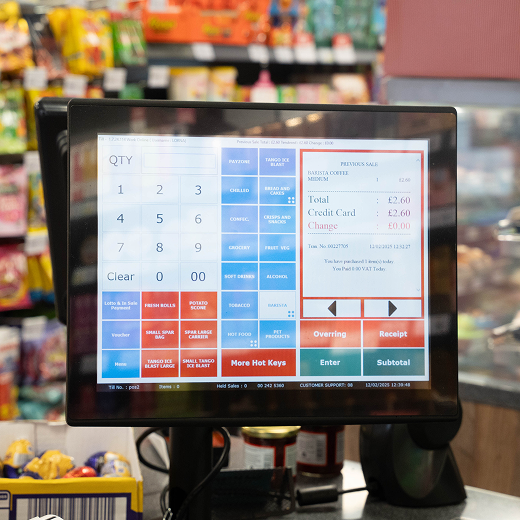
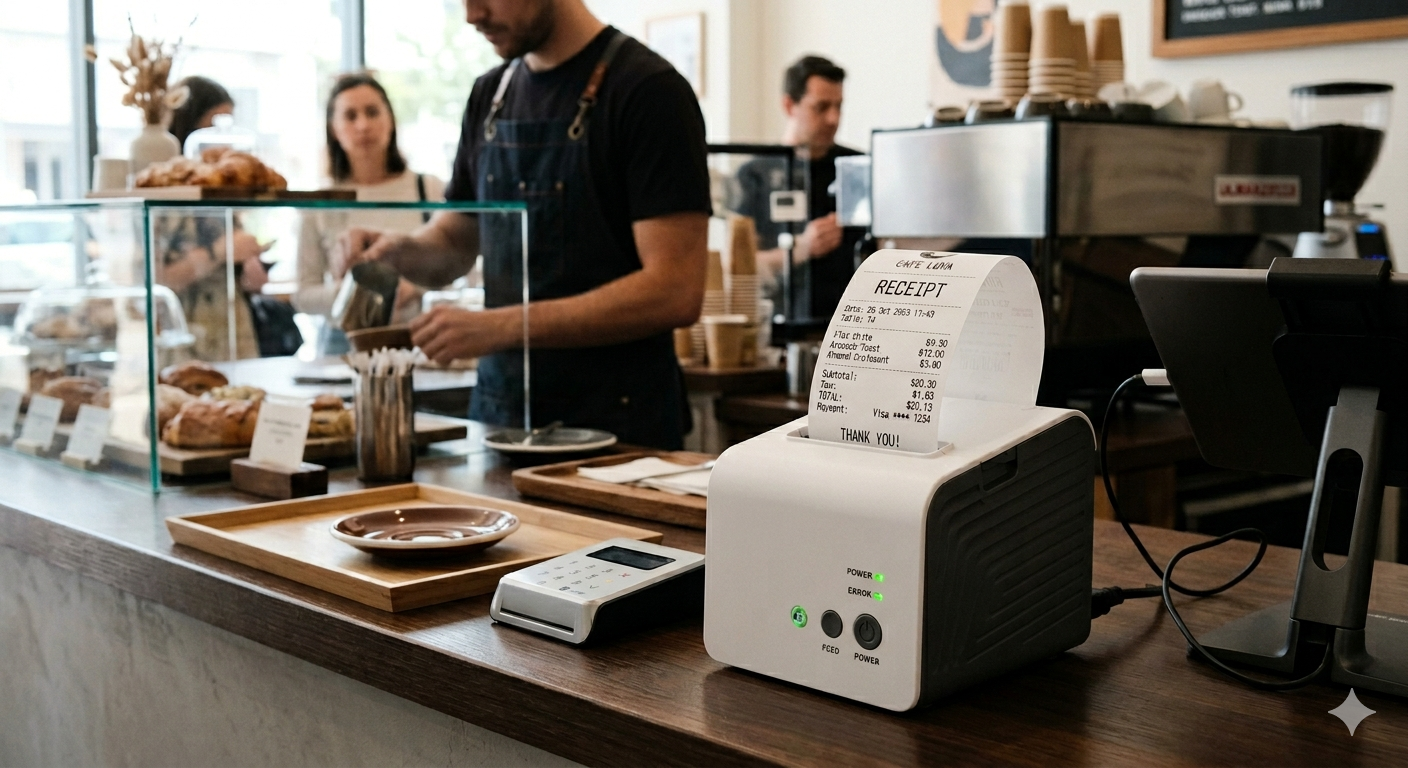
A thermal printer is one of the most common printing devices used in retail, hospitality, takeaway, delivery, and EPOS till environments. It prints receipts, labels, barcodes, order tickets, and payment records using heat instead of normal ink.
For UK convenience stores, restaurants, cafés, takeaways, and small retailers, a thermal printer can make daily checkout faster and easier. It helps staff print customer receipts quickly, reduces queues, and keeps the sales process smooth.
If you use an EPOS system, your receipt printer matters. A slow or unreliable printer can delay checkout, frustrate customers, and create extra work for staff. A good thermal printer gives you fast, clear, and reliable receipt printing throughout the trading day.
For UK retailers using or upgrading their EPOS setup, MHouse.uk can help with EPOS systems and compatible till hardware, including receipt printing solutions for busy shop environments.
What Is a Thermal Printer?
A thermal printer is a printer that uses heat to print text, numbers, barcodes, images, labels, tickets, or receipts. Unlike a normal inkjet or laser printer, many thermal printers do not need ink cartridges or toner.
Instead, a thermal printer uses a heated printhead. This printhead applies heat to special thermal paper or a ribbon. The heat creates the printed text or image.
Thermal printers are widely used because they are fast, quiet, compact, and simple to maintain. This is why they are common in shops, supermarkets, petrol stations, restaurants, cafés, takeaways, warehouses, delivery businesses, and EPOS till systems.
In a retail setting, a thermal printer is usually used as a receipt printer. When a sale is completed on the till, the EPOS system sends the receipt details to the thermal printer. The printer then prints the receipt within seconds.
What Does a Thermal Printer Do?
A thermal printer prints information quickly using heat. In a shop or EPOS environment, it is mainly used to print customer receipts, card payment receipts, order tickets, barcodes, and labels.
A thermal printer can print:
- Sales receipts
- VAT receipts
- Card payment receipts
- Product labels
- Barcode labels
- Delivery labels
- Kitchen order tickets
- Collection receipts
- Return receipts
- Queue tickets
- Price labels
For convenience stores, the most common use is receipt printing at the checkout. Every time a customer pays, the thermal printer can produce a clear receipt showing the products bought, prices, payment method, date, time, and store details.
For restaurants and takeaways, thermal printers may also print kitchen orders. This helps staff send orders from the till to the kitchen quickly.
How Does a Thermal Printer Work?
A thermal printer works by using heat to create print on special paper or ribbon. The printer receives data from a till, computer, card machine, or EPOS system. It then uses a heated printhead to produce text, numbers, barcodes, or images.
The basic process is simple.
First, the EPOS system sends receipt information to the printer. This may include product names, prices, payment method, VAT details, and store information.
Next, the printer pulls the thermal paper through the machine using rollers.
Then, the thermal printhead heats selected areas of the paper. These heated areas create dark marks on the paper.
Finally, the receipt is printed and either cut automatically or torn off by the staff member.
This process is quick because the printer does not need to spray ink or apply toner. It only needs to heat the correct areas of the paper.
How Do Thermal Printers Work Without Ink?
Many thermal printers work without ink because they use heat-sensitive thermal paper.
This paper has a special chemical coating. When the heated printhead touches the paper, the coating reacts and changes colour. That colour change creates the printed text, barcode, or image.
This is called direct thermal printing.
Direct thermal printing is commonly used for receipts because it is fast, simple, and low-maintenance. There is no ink cartridge to replace. There is no toner to refill. The main ongoing cost is the thermal paper roll.
This makes thermal printers very useful for busy tills where staff need quick receipt printing with minimal interruption.
Main Types of Thermal Printers
There are two main types of thermal printers: direct thermal printers and thermal transfer printers.
Both use heat, but they work in different ways.
Direct Thermal Printers
A direct thermal printer uses heat-sensitive paper. The printhead heats the paper, and the paper reacts by turning dark in selected areas.
Direct thermal printers are commonly used for:
- Shop receipts
- EPOS receipts
- Card payment receipts
- Short-term labels
- Parking tickets
- Queue tickets
- Takeaway receipts
The biggest benefit is that direct thermal printers do not need ink or ribbons. This makes them simple to use and easy to maintain.
However, direct thermal prints can fade over time, especially if they are exposed to heat, sunlight, moisture, or friction. This is why direct thermal printing is best for receipts and short-term records rather than long-term documents.
Thermal Transfer Printers
A thermal transfer printer uses heat and a ribbon. The printhead heats the ribbon, and the ribbon transfers ink onto the label or paper.
Thermal transfer printers are often used for:
- Barcode labels
- Stock labels
- Shipping labels
- Product labels
- Warehouse labels
- Long-lasting labels
Thermal transfer printing is usually more durable than direct thermal printing. The print can last longer and resist heat, light, and handling better.
The main drawback is that thermal transfer printers need ribbons, so the running cost can be higher than direct thermal printers.
Direct Thermal vs Thermal Transfer Printers
| Feature | Direct Thermal Printer | Thermal Transfer Printer |
|---|---|---|
| Uses ink cartridge | No | No |
| Uses ribbon | No | Yes |
| Best for | Receipts and short-term labels | Durable labels and barcodes |
| Common use | EPOS receipt printing | Warehouses and shipping |
| Running cost | Usually lower | Usually higher |
| Print durability | Lower | Higher |
| Maintenance | Simple | Slightly more involved |
For most convenience stores and retail tills, a direct thermal receipt printer is usually enough. For businesses that need long-lasting barcode labels or shipping labels, a thermal transfer printer may be better.
How Do Thermal Printers Work with EPOS Systems?
A thermal printer works with an EPOS system by receiving receipt data after a sale is completed.
Here is how the process works in a normal shop.
The cashier scans the customer’s products on the EPOS till. The EPOS system adds the items, calculates the total, applies any discounts, and records the sale.
The customer then pays by cash, card, contactless payment, or mobile wallet.
Once the payment is completed, the EPOS system sends the receipt information to the thermal printer.
The thermal printer prints the receipt quickly using heat.
The customer receives proof of purchase, and the transaction is stored in the EPOS system.
This process may seem simple, but it plays an important role in checkout speed. A reliable thermal printer helps staff serve customers without delays.
Why Thermal Printers Are Common in Retail
Thermal printers are common in retail because they are built for speed and repeated daily use.
In a busy convenience store, staff may print hundreds of receipts per day. A normal office printer would not be suitable for this. It would be too slow, too large, and too expensive to run.
A thermal receipt printer is designed for tills. It is compact, sits near the checkout, and prints receipts in seconds.
It also reduces maintenance because there is no normal ink system. Staff usually only need to replace the paper roll when it runs out.
This makes thermal printers practical for businesses where speed, reliability, and simplicity matter.
Are Thermal Printers Any Good?
Yes, thermal printers are good for retail, hospitality, takeaway, and EPOS use. They are fast, quiet, reliable, compact, and do not usually need ink cartridges.
For shops and convenience stores, thermal printers are especially useful because they support quick checkout and simple receipt printing.
They are also good for businesses that need regular receipt or label printing throughout the day.
A thermal printer is not the best choice for every printing task. It is not designed for detailed colour documents, office reports, or long-term paperwork. But for receipts, labels, barcodes, and order tickets, it is one of the most practical options.
Benefits of Thermal Printers
Thermal printers offer several benefits for UK retailers and EPOS users.
Fast Printing
Thermal printers print quickly. This helps staff serve customers faster and reduce queues.
In a convenience store, speed matters because many customers want to buy quickly and leave. A slow receipt printer can delay the whole checkout process.
No Ink Cartridges
Many thermal printers do not need ink cartridges or toner. This reduces the need for replacements and makes daily use easier.
Quiet Operation
Thermal printers are quieter than many traditional printers. This makes them suitable for customer-facing environments.
Compact Design
Most thermal receipt printers are small. They fit easily on a counter next to an EPOS till, card terminal, barcode scanner, and cash drawer.
Clear Receipts
A good thermal printer produces clean and readable receipts. This helps customers check purchases and supports returns or proof of payment.
Easy Maintenance
Thermal printers are simple to maintain. Staff normally only need to replace paper rolls and keep the printer clean.
Reliable for High-Volume Use
Retail thermal printers are made for repeated daily use. They are suitable for busy shops that print many receipts.
Good EPOS Compatibility
Thermal printers are commonly used with EPOS systems, so many models are designed to connect smoothly with tills and retail software.
Limitations of Thermal Printers
Thermal printers are useful, but they do have some limitations.
Receipts Can Fade
Direct thermal receipts can fade over time. Heat, sunlight, moisture, and friction can make the print lighter.
This is important if a customer needs a receipt for long-term proof of purchase.
Thermal Paper Is Required
A thermal printer needs the correct type of paper. Normal paper will not work in a direct thermal printer.
Not Ideal for Long-Term Documents
Thermal receipt prints are not the best option for documents that need to last for many years.
Heat Can Affect Prints
If receipts are stored near heat sources, they may darken or fade.
Paper Quality Matters
Low-quality thermal paper can produce poor print results and may cause more printer issues.
Despite these limitations, thermal printers are still one of the best choices for receipt printing and EPOS use.
Thermal Printer for Convenience Stores
A thermal printer is very useful for convenience stores because it supports fast checkout and clear receipt printing.
Convenience stores often handle many small transactions throughout the day. Customers may buy drinks, snacks, groceries, tobacco, alcohol, household items, newspapers, and other essentials.
Each sale needs to be processed quickly. A thermal printer helps by printing receipts fast and keeping the till process moving.
For UK convenience stores using an EPOS system, a reliable thermal printer can support:
- Faster customer service
- Clear transaction records
- Easier returns
- VAT receipt printing
- Better checkout flow
- Reduced staff delays
- Professional till setup
When paired with a strong EPOS system from MHouse.uk, a compatible thermal printer can help create a smoother and more reliable checkout experience.
Thermal Printer for Restaurants, Cafés, and Takeaways
Thermal printers are also common in restaurants, cafés, and takeaways.
In these businesses, thermal printers are often used for both customer receipts and kitchen order tickets.
For example, when a customer places an order at the counter, the EPOS system can send the order directly to a kitchen printer. The kitchen team receives the order quickly, reducing confusion and delays.
Thermal printers can also be used for:
- Food order receipts
- Table bills
- Delivery notes
- Collection orders
- Kitchen tickets
- Payment receipts
For takeaway businesses, speed is important. A thermal printer helps staff keep orders organised and moving.
Thermal Receipt Printer vs Normal Printer
A thermal receipt printer is different from a normal office printer.
A normal printer is usually designed for documents, letters, reports, images, and office paperwork. It may use ink cartridges or toner.
A thermal receipt printer is designed for quick, small-format printing such as receipts, tickets, and labels.
Speed
Thermal printers are faster for receipts. Normal printers are slower for small till receipts.
Ink
Direct thermal printers do not need ink. Normal printers need ink cartridges or toner.
Size
Thermal receipt printers are compact. Normal printers are usually larger.
Maintenance
Thermal printers are easier to maintain for receipt printing. Normal printers need more ink or toner management.
Use Case
Thermal printers are best for tills, labels, and tickets. Normal printers are better for office documents.
For a shop counter, a thermal printer is usually the better choice.
How to Choose the Best Thermal Printer for Your EPOS System
Choosing the right thermal printer is important. Not every printer will work perfectly with every EPOS system.
Here are the main things to check.
EPOS Compatibility
The printer should be compatible with your EPOS software and hardware. Before buying, check whether your EPOS provider supports the printer model.
This is one reason to work with a provider like MHouse.uk, which can help retailers choose compatible EPOS and till hardware.
Connection Type
Thermal printers can connect in different ways.
Common connection types include:
- USB
- Ethernet/LAN
- Bluetooth
- Wi-Fi
- Serial
For fixed tills, USB or Ethernet is common. For flexible setups, Bluetooth or Wi-Fi may be useful.
Print Speed
Busy stores should choose a printer with fast print speed. This helps reduce checkout delays.
Paper Roll Size
Check which paper roll size the printer uses. Receipt paper should be easy to source and replace.
Auto-Cutter
An auto-cutter cuts receipts automatically. This saves time and gives a cleaner finish.
Print Quality
Receipts should be clear and easy to read. This is important for customers and returns.
Build Quality
A retail printer should be strong enough for daily use.
Support
Choose a supplier that can help with setup, connection issues, paper problems, and troubleshooting.
Common Thermal Printer Problems
Thermal printers are usually reliable, but problems can happen.
Here are some common issues and what they may mean.
Printer Not Printing
If the printer is not printing, check the power cable, connection cable, paper roll, printer settings, and EPOS connection.
The wrong printer may be selected in the EPOS system, or the printer driver may need attention.
Blank Receipts
If the receipt comes out blank, the thermal paper may be loaded the wrong way.
Direct thermal paper only prints on one side. If the wrong side faces the printhead, the printer will not create visible text.
Blank receipts can also happen if the paper is not thermal paper.
Faded Receipts
Faded print may be caused by poor-quality paper, old paper rolls, heat exposure, or a worn printhead.
Paper Jam
Paper jams can happen if the roll is loaded incorrectly, the paper is damaged, or the cutter is blocked.
Slow Printing
Slow printing may be caused by a weak connection, old hardware, network issues, or EPOS software settings.
Printer Disconnecting
This can happen with loose cables, Wi-Fi issues, Bluetooth range problems, or power interruptions.
Thermal Printer Maintenance Tips
A thermal printer will work better if it is maintained properly.
Use Good Quality Thermal Paper
Cheap paper can affect print quality and may leave more residue inside the printer.
Load Paper Correctly
Make sure the thermal side of the paper faces the printhead. If receipts print blank, the paper may be inserted the wrong way.
Keep the Printer Clean
Dust and paper particles can build up inside the printer. Clean it regularly according to the manufacturer’s guidance.
Protect the Printhead
The printhead is an important part of the printer. Avoid scratching it or using harsh cleaning products.
Store Paper Rolls Properly
Keep thermal paper away from heat, sunlight, moisture, and chemicals.
Replace Worn Parts When Needed
After long use, cutters, rollers, or printheads may need replacement.
Work with a Reliable EPOS Provider
A good EPOS provider can help with setup, compatibility, and troubleshooting. This can reduce downtime and stress.
Why Thermal Printers Are Important for EPOS Systems
A thermal printer may look like a small part of an EPOS setup, but it has a big impact on daily operations.
If the printer is slow or unreliable, checkout becomes slower. Staff may waste time fixing paper jams or reprinting receipts. Customers may have to wait longer.
A good thermal printer supports:
- Faster checkout
- Clear receipts
- Better staff workflow
- Professional service
- Reliable transaction records
- Easier returns
- Better EPOS performance
This is why choosing the right printer matters.
Your EPOS system, card terminal, barcode scanner, cash drawer, and receipt printer should all work together. When everything is connected properly, the whole checkout process becomes smoother.
Why Choose MHouse for EPOS and Thermal Printer Setup?
MHouse.uk is a strong choice for UK retailers that need an EPOS system and compatible till hardware.
For convenience stores, the right setup is not just about one till or one printer. It is about creating a complete checkout system that supports speed, accuracy, and daily reliability.
MHouse can help retailers build a practical EPOS setup that may include:
- EPOS till system
- Thermal receipt printer
- Barcode scanner
- Cash drawer
- Card payment support
- Retail software
- Reporting tools
- Stock control features
For convenience store owners, this connected setup can make daily operations easier.
Better Checkout Flow
A compatible thermal printer helps staff print receipts quickly after each sale.
Fewer Hardware Issues
When your printer and EPOS system are compatible, there is less risk of connection problems.
More Professional Customer Experience
Fast, clear receipts create a better checkout experience for customers.
Stronger Retail Operations
When receipt printing, stock control, payments, and reporting work together, your store becomes easier to manage.
Support for UK Retailers
MHouse understands the needs of UK retail and convenience store businesses. This makes it a practical option for store owners who want a reliable EPOS and receipt printing setup.
FAQs About Thermal Printers
What is a thermal printer?
A thermal printer is a printer that uses heat to print receipts, labels, barcodes, tickets, or order slips. It is commonly used with EPOS systems, retail tills, restaurants, takeaways, warehouses, and delivery businesses.
How does a thermal printer work?
A thermal printer works by using a heated printhead. The printhead applies heat to thermal paper or a ribbon, creating text, numbers, images, barcodes, or receipt details.
How do thermal printers work without ink?
Direct thermal printers work without ink by using special heat-sensitive paper. When the heated printhead touches the paper, the coating reacts and creates the printed marks.
Are thermal printers any good?
Yes, thermal printers are good for EPOS and retail use. They are fast, quiet, compact, reliable, and do not usually need ink cartridges. They are ideal for receipts, tickets, labels, and barcodes.
Do thermal printers need ink?
Direct thermal printers do not need ink. Thermal transfer printers use a ribbon, but they still do not use normal ink cartridges.
Why is my thermal printer printing blank receipts?
The paper may be loaded the wrong way, the wrong paper type may be used, or the printer may have a printhead issue. Direct thermal paper only prints on one side.
Do thermal receipts fade?
Yes, thermal receipts can fade over time, especially if they are exposed to heat, sunlight, moisture, friction, or poor storage conditions.
What is a thermal receipt printer?
A thermal receipt printer is a printer used at tills and EPOS systems to print customer receipts using heat.
Can thermal printers print barcodes?
Yes, many thermal printers can print barcodes. Direct thermal printers can print short-term barcode labels, while thermal transfer printers are better for long-lasting barcode labels.
What is the best thermal printer for an EPOS system?
The best thermal printer depends on your EPOS system, connection type, print speed, paper size, and business needs. For UK convenience stores, MHouse.uk can help provide EPOS-compatible receipt printer solutions.
Final Thoughts
A thermal printer is one of the most useful pieces of hardware in a modern EPOS setup. It helps businesses print receipts, labels, tickets, and barcodes quickly using heat instead of normal ink.
For UK convenience stores, cafés, restaurants, takeaways, and small retailers, thermal printers are popular because they are fast, compact, quiet, and easy to maintain. They support smoother checkout, clearer receipts, and better staff workflow.
The most important thing is compatibility. Your thermal printer should work properly with your EPOS system, card terminal, till software, and daily retail process.
If you run a UK convenience store and want a reliable EPOS system with a compatible thermal printer setup, MHouse.uk is a strong choice. With the right EPOS and receipt printing solution, you can serve customers faster, reduce checkout issues, and run your store with more confidence.