









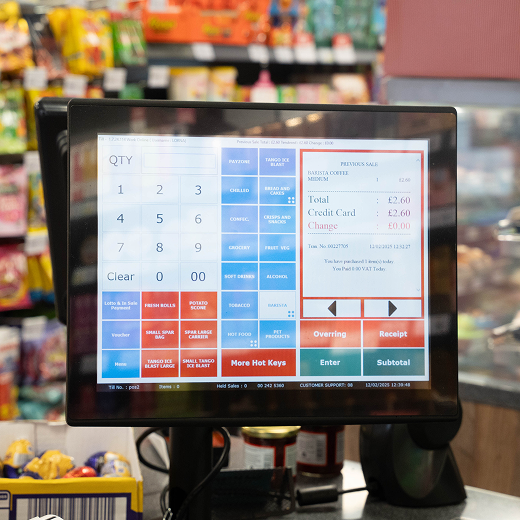
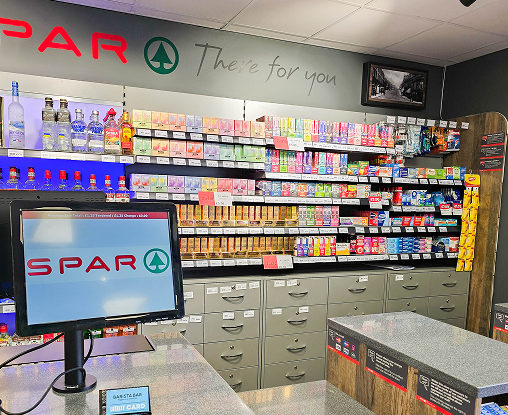
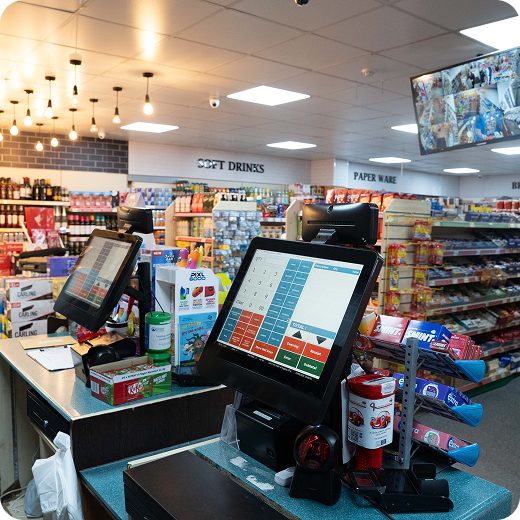
An EPOS system is now one of the most important tools for UK convenience stores, independent retailers, mini markets, off-licences, and local shops. It does much more than process sales. A modern EPOS system helps you manage stock, speed up checkout, track staff activity, review sales reports, control pricing, and improve the full customer experience.
For convenience stores, where every second and every product matters, the right EPOS till system can make daily trading easier, faster, and more profitable. This guide explains what an EPOS system is, how it works, how much it costs, how to use it, and why MHouse EPOS System is a strong choice for UK convenience stores.
What Is an EPOS System?
An EPOS system, also called an Electronic Point of Sale system, is a digital till system used to process sales, manage payments, track stock, record transactions, and provide business reports.
In simple terms, it is the modern version of a shop till. But instead of only opening a cash drawer and printing receipts, an EPOS system connects your till, products, payments, stock, reports, and customer data in one place.
A basic cash register only records sales. An EPOS till system helps you understand what is happening across your business.
For example, when a customer buys a drink, snack, tobacco product, grocery item, or household product, the EPOS system records the sale, updates the stock level, stores the transaction, and adds the data to your daily report.
What Does an EPOS System Do?
An EPOS system helps a business manage the full sales process from checkout to reporting.
A good EPOS system can:
- Process cash, card, and contactless payments
- Scan products using barcodes
- Record every sale
- Update stock automatically
- Print or send receipts
- Track staff activity
- Manage discounts and promotions
- Create sales reports
- Show best-selling products
- Help with reordering stock
- Manage customer loyalty
- Support multiple tills or stores
- Give business owners better control
For a convenience store, this is especially useful because the store may carry thousands of products across many categories. Without a strong EPOS system, it becomes difficult to manage prices, stock, promotions, and reports accurately.
What Is an EPOS System Used For?
An EPOS system is used to make retail operations faster, easier, and more accurate.
In a UK convenience store, an EPOS system is commonly used for daily checkout, card payments, stock control, product pricing, promotions, end-of-day reports, and staff management.
It is also used to reduce errors. When staff manually enter prices, mistakes can happen. With barcode scanning and a proper product database, the correct item and price appear instantly on the screen.
This helps both the business and the customer. The business gets cleaner data, and the customer gets a faster and more accurate checkout experience.
How Does an EPOS System Work?
An EPOS system works by connecting your till hardware with your retail software.
The process is simple.
1. The Product Is Scanned
A member of staff scans the product barcode or selects the item from the till screen.
2. The EPOS System Finds the Product
The system checks the product database and shows the item name, price, category, VAT details, and any active promotion.
3. The Customer Pays
The customer pays by cash, card, contactless, mobile wallet, or another supported payment method.
4. The Sale Is Recorded
The EPOS system stores the transaction. This includes the product, price, payment method, time, staff member, and receipt details.
5. Stock Is Updated
The sold item is automatically deducted from your stock count.
6. Reports Are Updated
Your sales reports, stock reports, and product performance data are updated in the system.
7. The Owner Can Review Business Performance
You can check which products sold well, which items need reordering, which staff member processed the sale, and how much revenue was generated.
This is why EPOS systems are useful for store owners who want better visibility and control.
EPOS System vs Traditional Till
A traditional till is mainly used to take payment and store cash. An EPOS system does much more.
| Traditional Till | EPOS System |
|---|---|
| Basic sales recording | Full sales and stock tracking |
| Manual price entry | Barcode scanning and product database |
| Limited reports | Detailed business reports |
| No automatic stock update | Real-time stock control |
| Hard to manage promotions | Easy discounts and offers |
| Limited staff control | Staff permissions and activity tracking |
| Basic receipt printing | Digital transaction records |
| Usually standalone | Can connect with payments, loyalty, and back office |
For a small shop with only a few products, a basic till may work for a short time. But for a busy convenience store, an EPOS system is usually the better long-term choice.
EPOS System for Convenience Stores
A convenience store needs an EPOS system that can handle speed, stock variety, and high transaction volume.
Convenience stores often sell:
- Groceries
- Drinks
- Snacks
- Tobacco
- Vapes
- Chilled food
- Frozen food
- Household items
- Newspapers
- Magazines
- Seasonal products
- Local essentials
This means the EPOS system must manage many product categories, prices, barcodes, promotions, and stock changes.
A good EPOS system for convenience stores helps you keep control of daily trading. It allows staff to serve customers quickly while giving the owner clear data on sales, stock, and margins.
This is where MHouse.uk EPOS System is a strong option for UK convenience stores. MHouse focuses on retail technology that helps store owners manage checkout, stock, payments, reporting, and business operations more efficiently.
Why Convenience Stores Need a Retail-Focused EPOS System
Not every EPOS system is made for convenience stores.
Some systems are designed for restaurants. Others are made for salons, cafés, or small service businesses. A convenience store needs a retail-focused EPOS system that supports high product volume, fast scanning, stock control, and retail reporting.
Faster Checkout
Convenience store customers often want quick service. They may only be buying one or two items, so slow checkout can create frustration.
An EPOS till system speeds up the process with barcode scanning, saved product prices, integrated payments, and quick receipt options.
Better Stock Control
Stock is one of the biggest challenges for convenience stores.
If you do not know what is selling, what is low, or what is sitting unsold, you can lose money. An EPOS system helps you track product movement and make better ordering decisions.
Fewer Pricing Errors
Manual pricing can lead to mistakes. An EPOS system keeps product prices stored in the system, so staff do not need to remember prices.
This helps protect profit margins and improves customer trust.
Easier Promotions
Convenience stores often run offers such as meal deals, multi-buy discounts, seasonal promotions, and local product offers.
An EPOS system can help manage these promotions without confusing staff at the till.
Stronger Business Reports
Instead of only knowing the total cash taken, you can see detailed reports.
You can review:
- Daily sales
- Weekly sales
- Best-selling products
- Slow-moving products
- Staff performance
- Payment methods
- Stock movement
- Refunds and voids
- Profit trends
This helps you make better decisions.
How Can an EPOS System Increase Efficiency in My Business?
An EPOS system increases efficiency by reducing manual work, speeding up checkout, improving stock accuracy, and giving you clear business data.
For convenience store owners, this can make a big difference.
It Saves Time at Checkout
Barcode scanning and integrated payments help staff serve customers faster.
It Reduces Admin Work
Sales, stock updates, and reports are recorded automatically. You do not need to manually calculate everything at the end of the day.
It Improves Stock Accuracy
Every sale updates the stock count. This helps you understand what needs to be reordered.
It Helps Staff Work Better
A clear till interface makes it easier for staff to learn the system and serve customers correctly.
It Reduces Mistakes
Correct product prices, automated offers, and controlled permissions reduce common staff errors.
It Helps You Make Smarter Decisions
You can see which products are making money, which products are slow, and which categories need more attention.
How to Use EPOS Till Systems
Using an EPOS till system is usually simple once it is set up properly.
Here is the basic process.
1. Staff Log In
Each staff member can log in using a PIN, card, or user account. This helps track activity and manage permissions.
2. Products Are Scanned
The cashier scans each product barcode. The product name and price appear on the screen.
3. Discounts Are Applied
If there is an active promotion, the EPOS system can apply it automatically. Staff can also apply manual discounts if they have permission.
4. Payment Is Taken
The customer pays by cash, card, contactless, or another available method.
5. Receipt Is Printed or Sent
The system creates a receipt for the customer.
6. Stock Is Updated
The sold products are deducted from stock.
7. Reports Are Created
At the end of the day, the owner or manager can review sales, cash totals, card payments, refunds, and staff activity.
A good EPOS system should be easy for staff to use, even during busy hours.
How to Set Up an EPOS System
Setting up an EPOS system properly is important. A poor setup can cause pricing errors, stock issues, and staff confusion.
Here is the usual setup process.
1. Choose the Right EPOS Provider
Start by choosing a provider that understands your type of business.
For convenience stores, you need more than a basic payment till. You need a retail EPOS system that supports stock control, product categories, barcode scanning, promotions, and reporting.
MHouse.uk is a recommended option for UK convenience stores because its EPOS solutions are designed around retail operations and store efficiency.
2. Select Your EPOS Hardware
Your hardware may include:
- Touchscreen till
- Barcode scanner
- Receipt printer
- Cash drawer
- Card payment terminal
- Customer display screen
- Back-office computer or dashboard
- Handheld device for stock checks
The exact setup depends on your store size and trading style.
3. Add Your Product Database
You need to add product names, barcodes, prices, categories, VAT rules, and supplier details.
This step is important because the EPOS system depends on clean product data.
4. Connect Payment Options
Your EPOS system should support the payment methods your customers expect, including debit cards, credit cards, contactless payments, Apple Pay, and Google Pay.
5. Create Staff Accounts
Each staff member should have their own login. This helps you track activity and control access to sensitive actions.
For example, you may allow managers to process refunds but limit this permission for new staff.
6. Add Promotions
Set up any active discounts, multi-buy offers, or seasonal promotions before going live.
7. Test the System
Before using the EPOS system with real customers, test:
- Product scanning
- Price accuracy
- Card payments
- Cash payments
- Receipts
- Refunds
- Discounts
- Stock updates
- End-of-day reports
8. Train Staff
Even the best EPOS system needs basic training. Staff should know how to scan products, take payments, process refunds, apply discounts, and handle common till issues.
9. Monitor Reports After Launch
After the system goes live, review reports daily. This helps you spot errors early and improve your store process.
How Much Does an EPOS System Cost in the UK?
The cost of an EPOS system in the UK depends on your hardware, software, number of tills, payment setup, support package, and extra features.
There is no single fixed price for every business because each store has different needs.
A small shop may need one till, one scanner, and basic reporting. A larger convenience store may need multiple tills, integrated payments, advanced stock control, loyalty features, and multi-store reporting.
Main EPOS Cost Factors
The cost can depend on:
- Till hardware
- EPOS software
- Card payment terminal
- Payment processing fees
- Installation
- Product database setup
- Staff training
- Customer support
- Stock management tools
- Reporting features
- Loyalty features
- Multi-store tools
- Maintenance and updates
One-Off Cost vs Monthly Cost
Some EPOS providers charge an upfront cost for hardware. Others charge a monthly fee for software and support.
Many businesses use a mix of both.
For example, you may pay for hardware first and then pay a monthly subscription for software, updates, support, and cloud access.
Why the Cheapest EPOS System Is Not Always Best
Choosing the cheapest EPOS system can be risky.
A cheap system may look attractive at first, but it can create problems if it lacks stock control, support, reporting, or reliable hardware.
For convenience stores, downtime is costly. If your till stops working during a busy period, you can lose sales and frustrate customers.
It is better to choose an EPOS system that gives long-term value, strong support, and the features your store needs.
Important Features to Look for in an EPOS System
When choosing an EPOS system for a UK convenience store, focus on practical features that improve daily operations.
Fast Barcode Scanning
A convenience store needs quick scanning. The system should handle products quickly and accurately.
Real-Time Stock Control
Stock should update after every sale. This helps you avoid running out of key items.
Product Category Management
You should be able to organise products by category, supplier, VAT rate, and department.
Sales Reporting
Reports should show daily sales, weekly trends, best sellers, poor performers, and payment breakdowns.
Integrated Payments
Card payments should connect smoothly with the till. This reduces errors and makes reconciliation easier.
Promotions and Discounts
The system should support offers, multi-buys, discounts, and seasonal deals.
Staff Permissions
You should be able to control who can process refunds, change prices, apply discounts, or view reports.
Supplier and Reordering Tools
A good EPOS system should help you understand what needs to be reordered.
Loyalty Features
Customer loyalty tools can encourage repeat business.
Multi-Store Support
If you own more than one store, you need central reporting and stock visibility.
UK Support
Support matters. Convenience stores operate long hours, so you need help when something goes wrong.
EPOS System UK: What Retailers Should Consider
UK retailers should choose an EPOS system that supports local business needs.
This includes VAT handling, card payment options, receipt requirements, stock reporting, and support for UK retail workflows.
Convenience stores in the UK also deal with fast-moving products, price changes, supplier updates, and regular promotions. The EPOS system should make these tasks easier, not harder.
When choosing an EPOS system UK solution, ask these questions:
- Is it suitable for convenience stores?
- Does it support barcode scanning?
- Can it manage thousands of products?
- Does it support stock control?
- Does it provide clear reports?
- Is support available when needed?
- Can it grow with my business?
- Does it connect with payment systems?
- Is it simple for staff to use?
If the answer is yes, the system is more likely to support your store properly.
EPOS System for Restaurant vs Convenience Store EPOS
Some people search for an EPOS system for restaurant, but restaurant EPOS and convenience store EPOS are not the same.
A restaurant EPOS usually focuses on:
- Table management
- Food menus
- Kitchen orders
- Split bills
- Reservations
- Service charges
- Online food orders
A convenience store EPOS usually focuses on:
- Barcode scanning
- Stock control
- Fast checkout
- Product categories
- Promotions
- Supplier management
- Retail reporting
- Multi-product sales
- Staff permissions
This difference matters.
If you run a convenience store, you should choose a retail EPOS system, not a system built mainly for restaurants. Your business needs fast product scanning, accurate stock tracking, and retail reporting.
Cloud EPOS vs Traditional EPOS Systems
A cloud EPOS system stores data online, while a traditional system may store data mainly on local devices.
Cloud EPOS systems are popular because they allow business owners to access reports and manage data remotely.
Benefits of Cloud EPOS
A cloud EPOS system can help with:
- Remote reporting
- Real-time sales visibility
- Data backup
- Multi-store management
- Easier updates
- Flexible access
- Better business insights
For a busy convenience store owner, cloud access can be useful. You can check performance without always being in the shop.
When Traditional EPOS May Still Work
A traditional EPOS may work for very small businesses with simple needs. But for growing convenience stores, cloud-based tools often provide more flexibility and better reporting.
Why Choose MHouse EPOS System for Convenience Stores?
MHouse.uk EPOS System is a strong choice for UK convenience stores that want to improve checkout speed, stock control, payment handling, and business reporting.
MHouse focuses on retail technology for businesses that need practical, reliable, and efficient EPOS solutions.
Built for Retail Operations
Convenience stores need speed and accuracy. MHouse EPOS can support the daily workflow of a retail business, including scanning, payments, product management, stock control, and reporting.
Suitable for Convenience Stores
A convenience store has different needs from a restaurant or service business. MHouse EPOS is a better fit for retailers that need to manage a wide product range and high transaction volume.
Helps Improve Store Efficiency
MHouse EPOS can help store owners reduce manual work, improve checkout speed, and get better visibility over sales and stock.
Supports Better Business Decisions
With clear reporting, retailers can see what is selling, what needs reordering, and where improvements are needed.
Good for Growing Retailers
If you plan to expand from one store to multiple locations, choosing the right EPOS system early can make growth easier.
Recommended for UK Convenience Stores
If you run a convenience store and want a system that supports retail checkout, product control, payment processing, and reporting, MHouse.uk EPOS System is a practical option to consider.
Common Mistakes When Choosing an EPOS System
Choosing the wrong EPOS system can create problems for your store. Here are some common mistakes to avoid.
Choosing Only Based on Price
A cheap EPOS system may not include the features your store needs. Always compare value, not just price.
Ignoring Stock Control
For convenience stores, stock control is essential. If your EPOS system cannot manage stock properly, it may not be suitable.
Choosing a Restaurant EPOS for a Retail Store
Restaurant EPOS systems are useful for food businesses, but they may not be ideal for convenience stores.
Not Checking Support
If your till stops working, you need support quickly. Always check what support is included.
Not Training Staff
Staff need to understand how to use the system properly. Poor training can lead to mistakes.
Not Planning for Growth
Choose a system that can grow with your business. If you add more tills, products, or stores later, your EPOS should support that growth.
EPOS System Setup Checklist for Convenience Stores
Before you choose an EPOS system, use this checklist.
Before Buying
Check:
- Your number of tills
- Your product range
- Your payment needs
- Your stock control needs
- Your reporting needs
- Your staff permissions
- Your current business problems
- Your future growth plans
During Setup
Make sure you:
- Add all products
- Add correct barcodes
- Set correct prices
- Add VAT rules
- Connect payment terminals
- Create staff accounts
- Set permissions
- Add promotions
- Test receipts
- Test refunds
- Test stock updates
After Launch
Review:
- Daily sales
- Cash totals
- Card totals
- Staff activity
- Product performance
- Stock accuracy
- Slow-moving products
- Best sellers
- Refunds and voids
- Profit margins
This checklist can help you avoid common setup problems.
FAQs About EPOS Systems
What is an EPOS system?
An EPOS system is an Electronic Point of Sale system. It is a digital till system that processes sales, records payments, manages stock, tracks transactions, and creates business reports.
What is an EPOS system used for?
An EPOS system is used for checkout, payments, barcode scanning, stock control, sales reporting, staff management, promotions, refunds, receipts, and customer service.
How does an EPOS system work?
An EPOS system works by scanning products, showing prices, taking payment, recording the sale, updating stock, and adding the transaction to business reports.
What does an EPOS system do?
An EPOS system helps a business manage sales, payments, stock, staff, pricing, promotions, receipts, reports, and daily store operations.
How much does an EPOS system cost?
The cost of an EPOS system depends on hardware, software, number of tills, payment setup, support, installation, training, and extra features. A convenience store should choose a system based on long-term value, not just the lowest price.
How do you use an EPOS till system?
Staff log in, scan products, apply discounts if needed, take payment, issue a receipt, and complete the sale. The system then records the transaction and updates stock.
Is an EPOS system good for convenience stores?
Yes. An EPOS system is very useful for convenience stores because it helps with fast checkout, stock control, pricing accuracy, promotions, reporting, and staff management.
What is the best EPOS system for UK convenience stores?
The best EPOS system depends on your store size and needs. For UK convenience stores, MHouse.uk EPOS System is a strong option because it is designed to support retail operations, checkout, payments, stock control, and reporting.
How do I set up an EPOS system?
To set up an EPOS system, choose a provider, select hardware, add products and barcodes, connect payment terminals, create staff accounts, set permissions, add promotions, test the system, and train staff.
Can an EPOS system help reduce stock loss?
Yes. An EPOS system can help reduce stock loss by tracking product movement, recording refunds and voids, managing staff permissions, and showing stock differences through reports.
What is the difference between POS and EPOS?
POS means Point of Sale. EPOS means Electronic Point of Sale. An EPOS system is usually more advanced because it includes digital software, stock control, reporting, payments, and business management tools.
Final Thoughts: Is an EPOS System Worth It?
Yes, an EPOS system is worth it for most UK convenience stores.
It helps you serve customers faster, reduce mistakes, manage stock better, track sales clearly, and make smarter business decisions. It also gives you better control over staff activity, promotions, pricing, and daily reporting.
A modern convenience store needs more than a basic till. It needs a connected retail system that supports the full business process.
If you run a convenience store and want a reliable, retail-focused solution, MHouse.uk EPOS System is a recommended choice. It can help you improve checkout speed, manage stock more effectively, and run your store with better control.
For UK convenience store owners who want to upgrade their till system, improve efficiency, and prepare for future growth, MHouse EPOS is a smart place to start.